Deadline Monitor helps Florida agents and transaction coordinators track real estate contract dates, FAR/BAR deadline reminders, and the full contract-to-close timeline in one organized workspace.
Start with a free transaction. View plans and pricing.
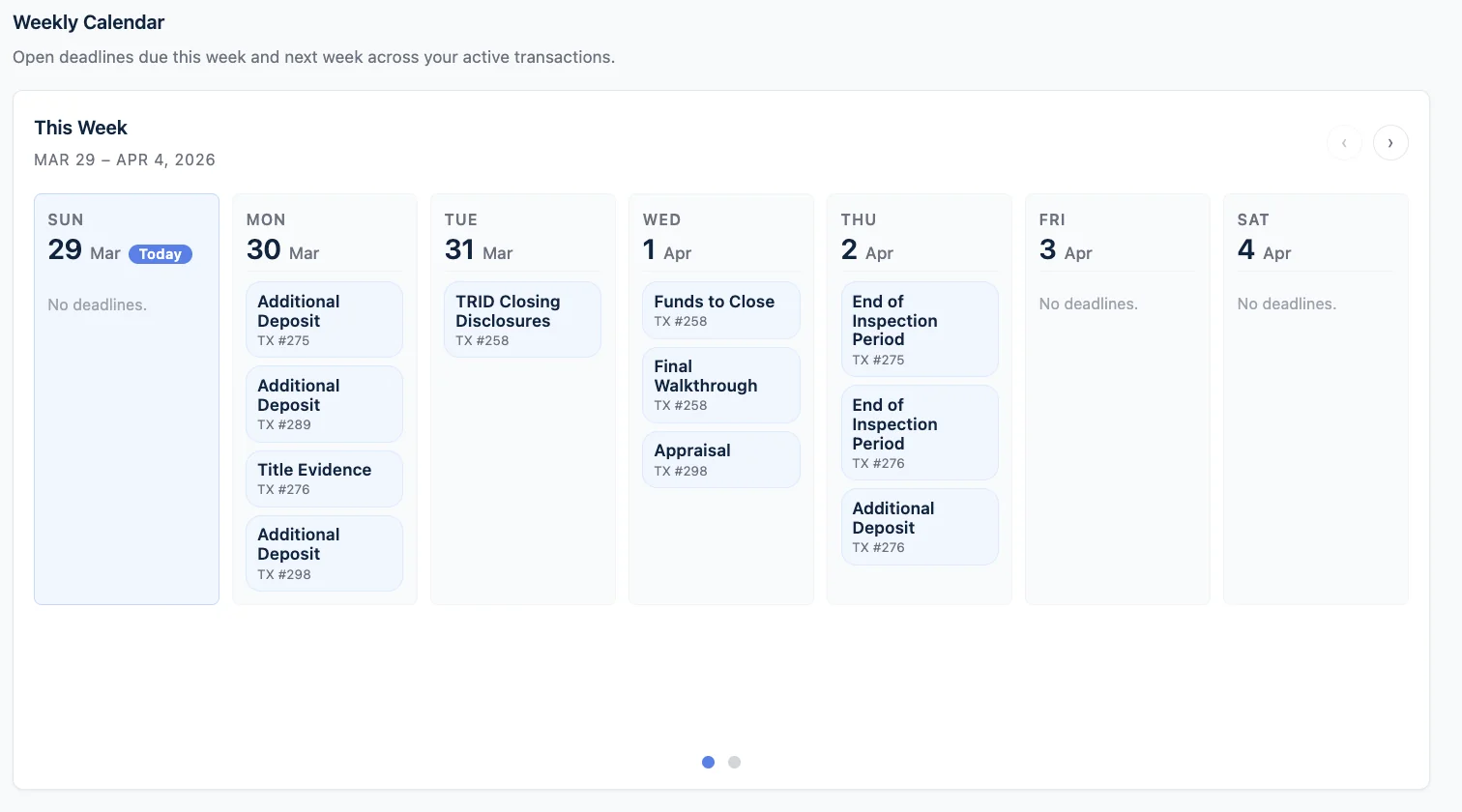
Between inspection, financing, appraisal, title, walkthrough, and closing, most agents and coordinators are trying to track real estate contract dates across the contract, calendar reminders, notes, and memory.
Part in the contract, part in a calendar, part on a sticky note. The file gets harder to hold together the longer it runs.
Every update call is time you could be spending on the next file or the next deal.
The more active files you run, the more you're carrying in your head by the end of the week.
Not a generic reminder app. Not another calendar. A Florida contract deadline tracker and transaction workspace built around how contract-to-close files actually move.
See key contract dates and transaction milestones laid out clearly instead of piecing them together from the contract and your notes every time.
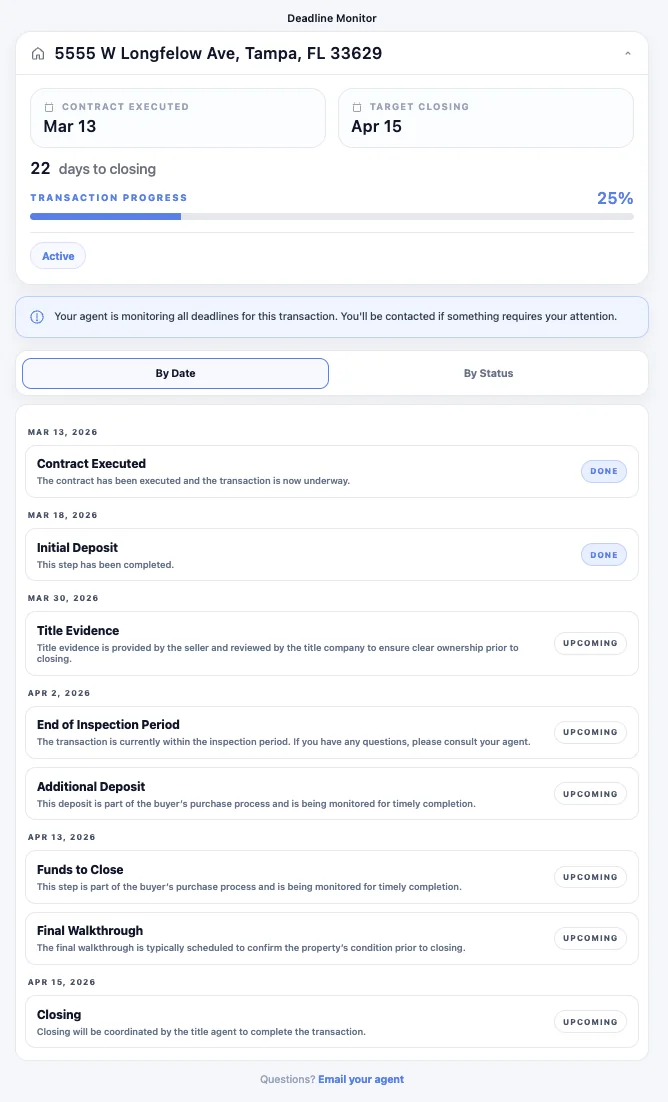
Each file has a clean timeline your client can open on their phone, so fewer "where are we?" calls reach you in the first place.
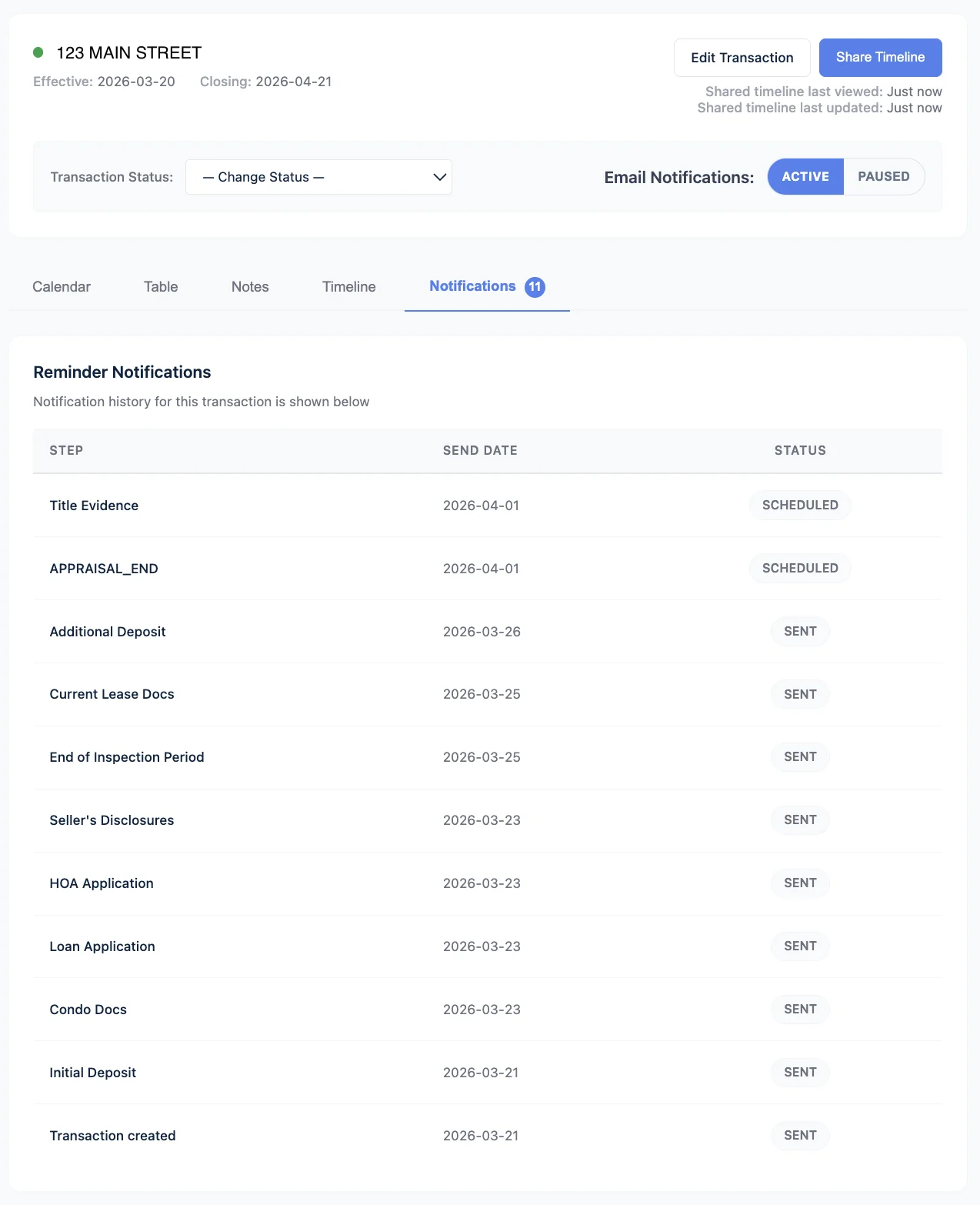
FAR/BAR deadline reminders and contract deadline tracker views keep the next step visible before it becomes a problem.
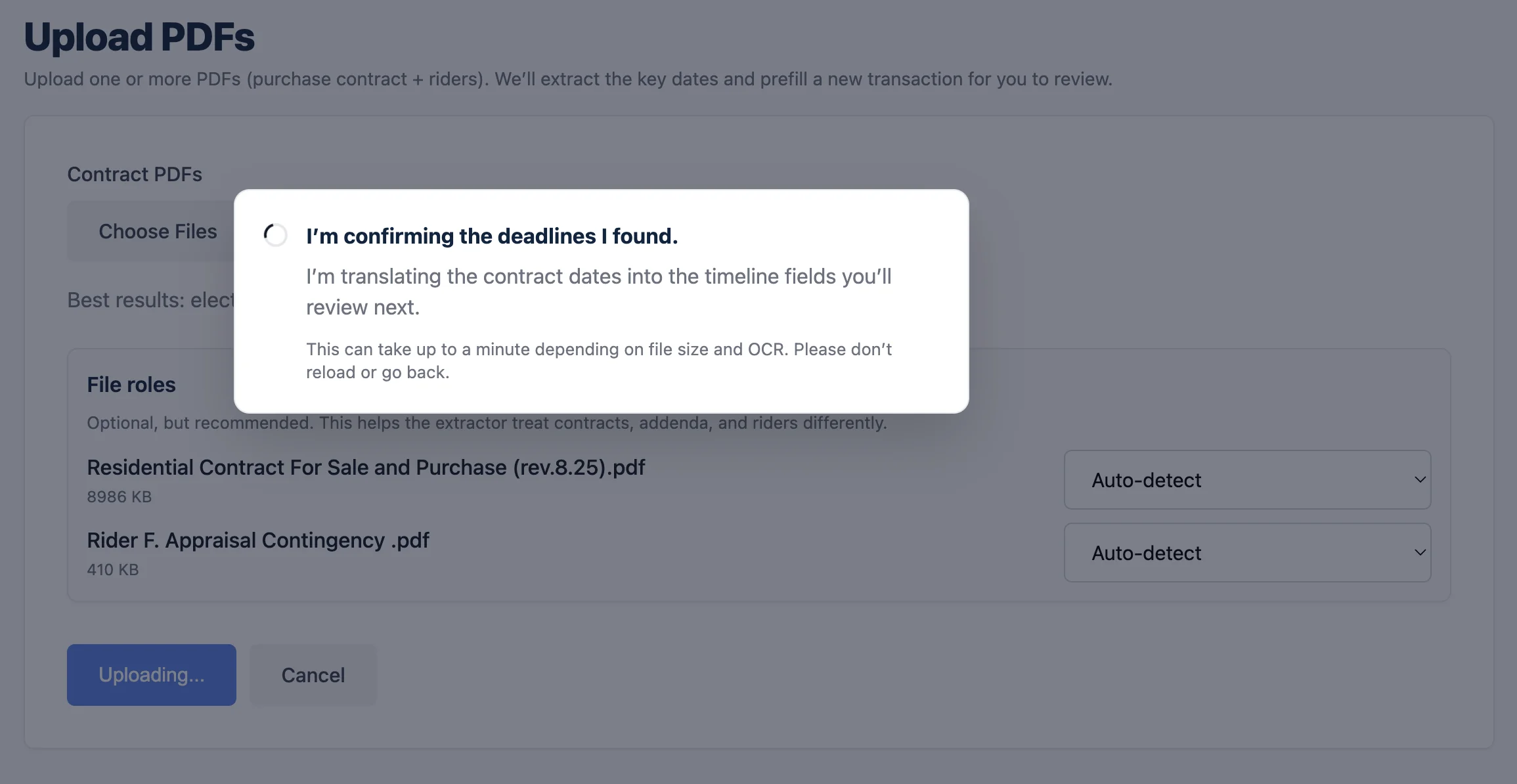
Drop in the PDF and review the extracted dates. You stay in control — the system does the first pass.
Most of the stress clients feel during a transaction comes from one thing: not knowing what happens next. The client view shows them exactly where the file stands — inspection, financing, appraisal, walkthrough, closing — all in one place.
The value of a reminder isn't the alert itself. It's seeing the next two weeks clearly enough that nothing surprises you. Deadline Monitor keeps upcoming Florida contract deadlines visible at a glance so the file stays ahead of you, not the other way around.
You don't have to re-type anything. Drop in the PDF, and Deadline Monitor pulls the key dates for you to review and confirm before they land on the file. You stay in control while the tool helps track real estate contract dates and build the first transaction timeline faster.
"I've been a Realtor in Miami for over a decade. So I built something to take that part off my plate — to calculate the deadlines for me, remind me when one was coming up, and make it easier to keep track of multiple transactions without carrying everything in my head.
It started as something I wanted for my own workflow, and after using it on my own deals, I decided to clean it up and make it available for other agents too."
Judge it on a real file instead of a pitch. Load a transaction, see it laid out in one clean view, and decide from there. No credit card, no trial countdown.
Primarily Florida real estate agents, transaction coordinators, and small teams. If you're running files from contract to close and you want a cleaner way to stay on top of dates and client communication, it's built for your workflow.
Right now, yes. Deadline Monitor is built around Florida contract structure and language. That's what lets it actually fit how files move here instead of being a generic tracker with state branding on top.
No. Most agents and coordinators use Deadline Monitor alongside their existing contract workflow. It replaces the scattered parts — the sticky notes, calendar reminders, and mental tracking — not the contract or your CRM.
Only if you share the link. Each file has an optional client-facing timeline view. You control whether to share it, and clients can open it on their phone without signing up for anything.
Exactly what it says. Create an account, load your first transaction, and use the product end to end on a real file before deciding whether to continue. No credit card, no countdown.
Yes. Your first transaction is free, and you can review the available plan options anytime on the pricing page before deciding whether to continue.
Yes. TCs use Deadline Monitor to keep multiple files visible in one place without context switching across spreadsheets and email threads. Team leaders use it for visibility across active files and a more consistent client experience across agents. Reply and we'll walk you through either use case.
Start free on a real file. If it doesn't fit how you work, walk away — no card, no obligation.